Homelab Ideas & Why You Should Have A Homelab
A home lab offers IT professionals a dedicated space to enhance skills, troubleshoot, and stay updated with evolving technologies. It provides hands-on experience, exam practice, and a safe environmen
Hey there! If you’ve ever thought about setting up your own homelab but weren’t sure where to start — or maybe you’re wondering why you’d even bother — then this post is for you. I’ve been tinkering with homelab setups for years now, and I honestly think it’s one of the best things you can do if you’re into IT or just love playing around with technology. Let me walk you through what a homelab is, why it’s worth your time, and some project ideas to get you inspired.
Summary/TLDR
A home lab provides IT professionals with a dedicated space to enhance their skills, prepare for certifications, troubleshoot problems, work on personal projects, and stay current with evolving technologies, ultimately contributing to their professional growth and success. These labs can be built using consumer-grade or old enterprise hardware which can often be found cheap on the second-hand market.
Introduction
In 2018, my manager and mentor gifted me some computer and networking equipment that was being phased out of use and due to be recycled. Since then, I have spent countless hours experimenting with those machines by setting them up as virtual hosts, running software-defined networking, and whatever else I was interested in. I loved it, and even six years later, I am still tinkering with virtualization, applications, and networking. Over time, I have added more hardware and software to my home lab stack by buying used equipment or finding recommended hardware new.
Learning things on your own can broaden your opportunities. Starting a home lab is one of the most effective ways to learn about systems, applications, and technology. It provides a low-stress, practical, and enjoyable way to learn about technology while also helping you discover your interests in technical areas. Additionally, a home lab can be used to service your own home, making it a practical investment of capital and time.
What is a Homelab?
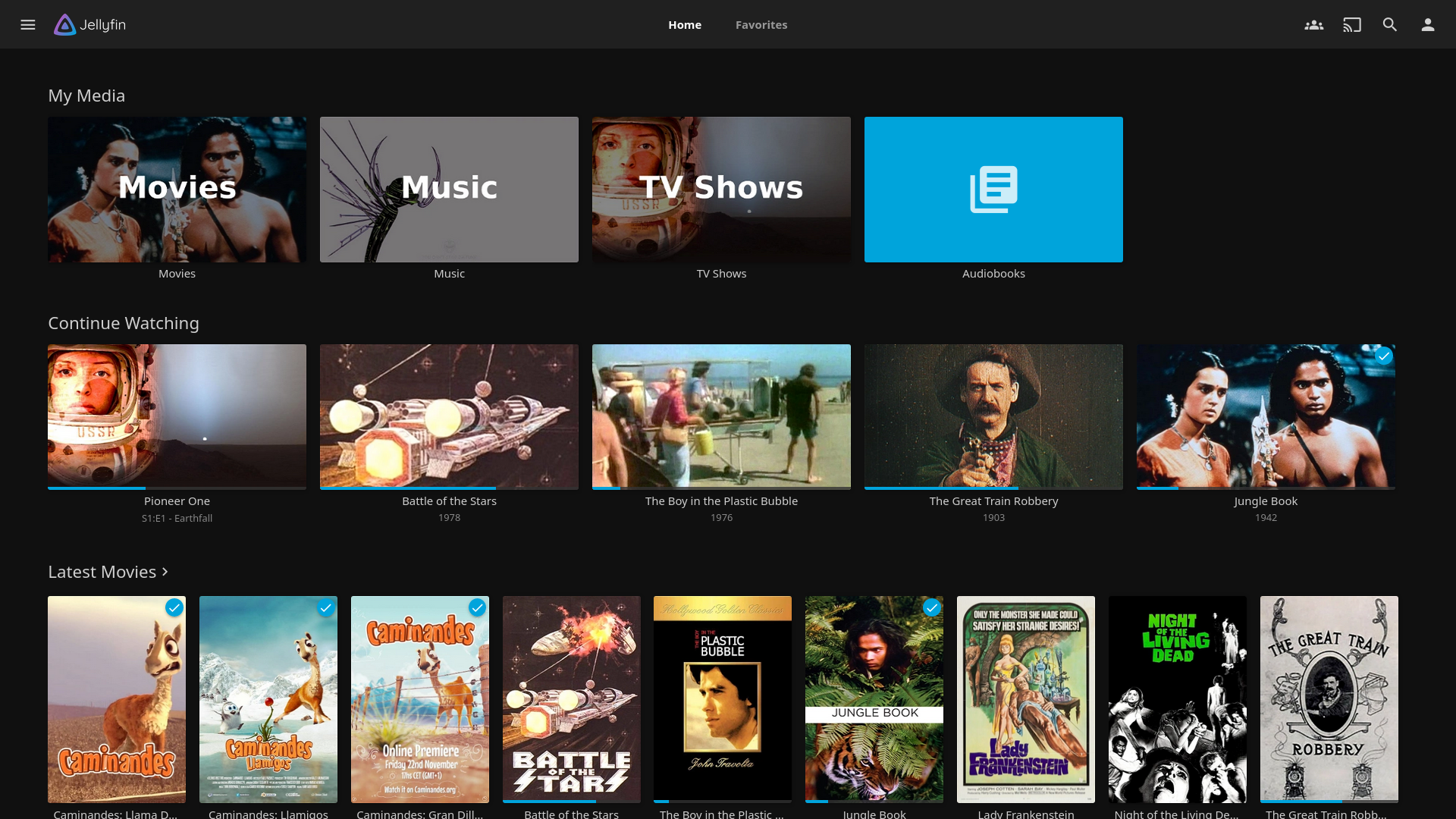
A home lab is essentially a “production” environment that we can create at home to serve as our lab. Experimenting with production equipment at work is not advisable, so we can use off-the-shelf consumer equipment or recycled business equipment (which often comes at a huge discount) to create our lab environments. We can even use the resulting services of our lab as production for personal use, such as Jellyfin (or any media server), and cloud storage (Nextcloud and others).
Why should you have a home lab?
As stated before, having a home lab environment allows IT pros or those with an interest in the field to gain hands-on experience in configuring systems for a project or matching business or personal strategy. Having a home lab can provide multiple benefits:
Hands-On Experience: A home lab allows IT professionals to gain hands-on experience with different technologies, platforms, and software. This practical experience can complement theoretical knowledge gained through formal education or professional certifications.
New Technologies: IT is a rapidly evolving field, and having a home lab provides the opportunity to explore and experiment with emerging technologies before they are widely adopted in the industry.
Exam Practice: For certifications that involve practical skills, a home lab is an excellent place to practice and prepare for exams. This can be particularly beneficial for certifications from vendors like Cisco, Microsoft, or VMware.
Safe Environment: A home lab offers a safe and controlled environment for testing configurations, updates, and troubleshooting without the risk of affecting production systems.
Network Configurations: IT professionals can simulate complex network configurations, security setups, and scenarios to enhance their skills in network management and security.
Side Projects: IT professionals can use their home lab for personal or side projects, whether it’s setting up a personal website, running a home server, or experimenting with automation tools. This allows for creativity and innovation outside of the workplace.
Resume Building: Having a home lab and showcasing projects from it on a resume can make an IT professional stand out to potential employers. It demonstrates initiative, practical skills, and a commitment to ongoing learning.
Job Interviews: Discussing home lab projects and experiences can be valuable during job interviews, showcasing practical skills and a proactive approach to professional development.
Avoiding Cloud Costs: Some cloud-based services can incur costs, especially for larger-scale experiments. A home lab allows for testing and learning without the ongoing expenses associated with cloud services.
Customization: A home lab can be customized to meet specific learning and testing requirements. IT professionals have control over the hardware, software, and configurations, allowing for a tailored environment.
Community Engagement: Joining online communities and forums related to home labs allows IT professionals to share ideas, seek advice, and collaborate with others who have similar interests.
What project areas should I look at/have I looked at?
Virtualisation and Containerisation
A hypervisor, which is also known as a Virtual Machine Monitor (VMM), is a software or hardware platform that allows multiple operating systems to run on a single physical host machine. This is very common in business systems as it is far more efficient. It works by abstracting and isolating the underlying hardware resources, thereby enabling the creation and management of virtual machines (VMs). Each virtual machine operates as if it were running on its own dedicated physical machine, even though multiple VMs share the same physical host. There are two types of hypervisors available in the market and a few vendors that are worth exploring:
https://en.wikipedia.org/wiki/Hypervisor
Proxmox
Proxmox Virtual Environment (Proxmox VE) is an open-source type 1 virtualization platform that combines two virtualization technologies: KVM (Kernel-based Virtual Machine) for virtual machines and LXC (Linux Containers) for lightweight container-based virtualization. Proxmox VE provides a web-based management interface, making it user-friendly for administrators. Proxmox is currently the hypervisor I am using in my lab. There are lots of content creators and professionals running Proxmox in their labs due to it being open source and having a strong community of enthusiasts. The documentation is excellent! A couple of notable creators I follow who use Proxmox are:
https://www.youtube.com/@TechnoTim
https://www.youtube.com/@CraftComputing
Hyper-V
Hyper-V is a type 2 virtualization platform developed by Microsoft for Windows Server environments and Windows operating systems. It is commonly used in enterprises that rely on Microsoft technologies. As long as you meet the criteria listed here: https://techcommunity.microsoft.com/t5/educator-developer-blog/step-by-step-enabling-hyper-v-for-use-on-windows-11/ba-p/3745905;
It’s likely that you should be able to run VMs on your local host machine as long as it’s fairly recent.
VMWare ESXi
VMware ESXi is a Type 1 hypervisor developed by VMware, specifically designed for server virtualization. You can run VMware on approved hardware only (without making changes to the kernel). A list of approved hardware can be found here: https://www.vmware.com/resources/compatibility/search.php;
Docker
Docker is a platform for developing, shipping, and running applications in containers. Unlike traditional virtualization, Docker uses containerization, which encapsulates an application and its dependencies into a lightweight, portable container. Containers share the host OS kernel, making them more resource-efficient compared to virtual machines. Docker is popular for its ease of use, rapid deployment, and scalability. It is widely used in DevOps, microservices architectures, and cloud-native applications. Docker is worth getting into as it appears to be where the industry is going due to its benefits.
Networking and Network Monitoring
Smokeping
Smokeping is an open-source network latency monitoring tool designed to measure and display the latency and packet loss between network devices. It is particularly useful for monitoring the performance and reliability of network connections over time. Smokeping is often employed in network administration, operations, and performance monitoring to identify trends, troubleshoot issues, and ensure the optimal functioning of network services. I have used smokeping at home to monitor my equipment network interfaces due to its simplicity and ease of configuration.
UniFi Controller
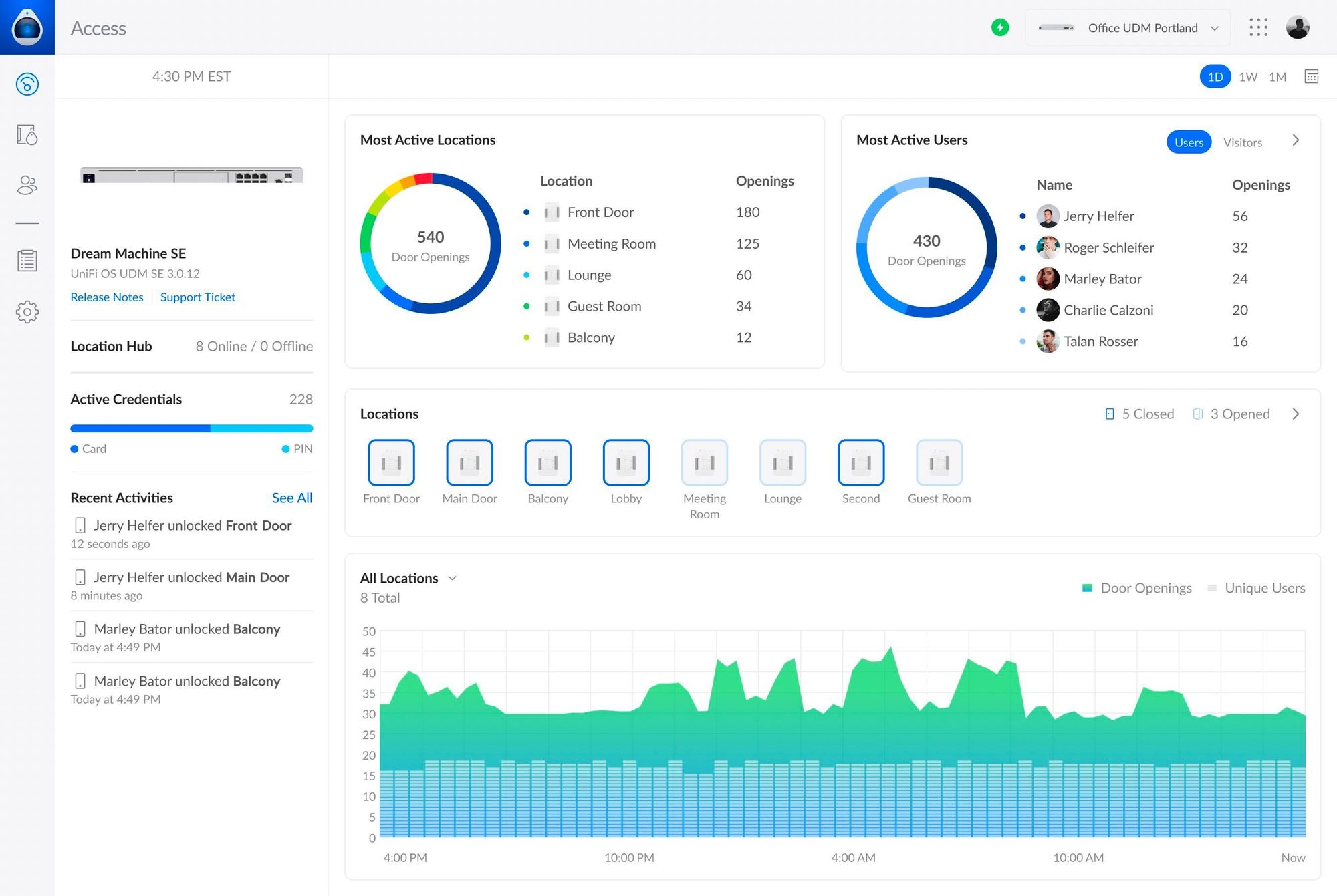
At home I run mostly UniFi network hardware including firewall, switches and access points. To monitor, configure and optimise the hardware I run the UniFi controller. Maybe not for everyone as UniFi isn’t everyone’s cup of tea, but I would recommend giving their kit and software a look as I think it’s great for the price. However, it isn’t without its limitations; sometimes a CLI interface can be far more customisable and easier to work with as it shows you all config per line rather than having to work it out on the web management page. A lot of the CLI config isn’t available on UniFi, so maybe choose something else if you want to follow a CLI config route.
Local DNS
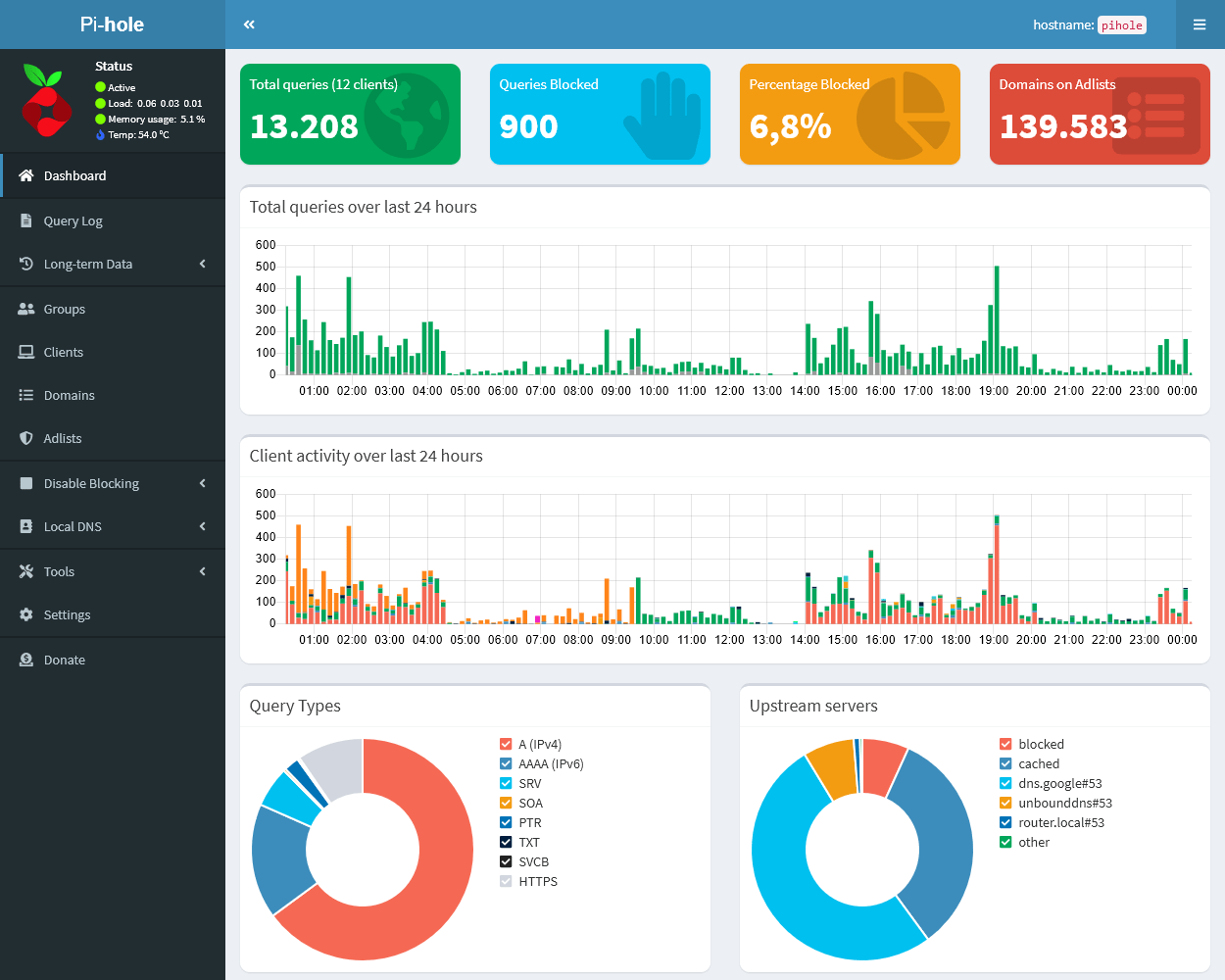
In my lab, I operate two PiHole DNS servers for two of my multiple isolated subnets. This setup enables me to insert custom DNS names for appliances and keep track of which websites are being accessed while also blocking some sites using PiHole’s gravity list of name servers with built-in ad-blocking capabilities. DNS is a fundamental knowledge requirement for IT professionals. It underpins most of the internet traffic and is often the cause of networking issues. PiHole is straightforward to configure, and its documentation is excellent. Hence, I highly recommend having a look at it if you plan to set up a host.
pfSense
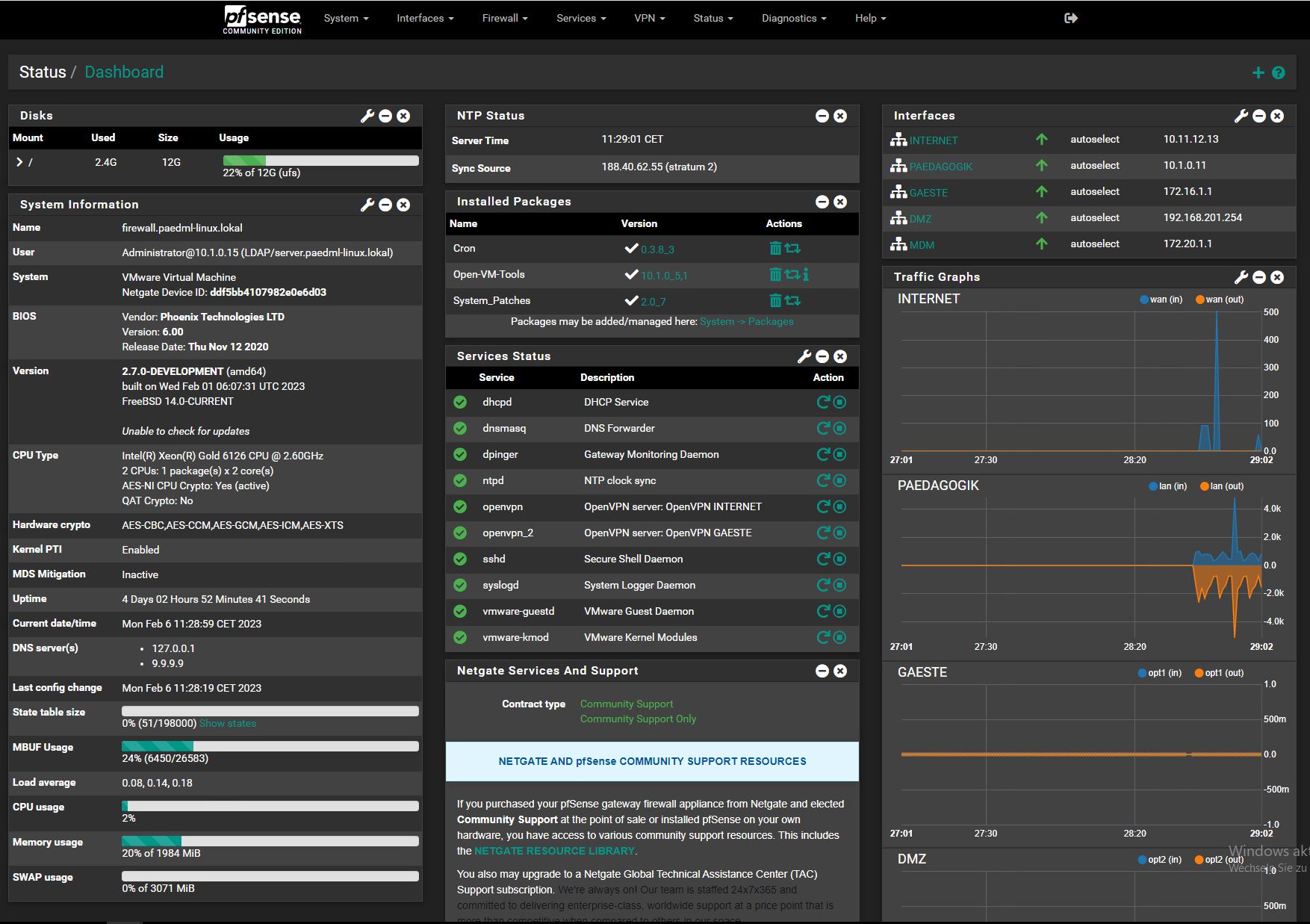
pfSense is widely used in various scenarios, including small home networks, businesses, and data centers, where a feature-rich and customizable firewall and routing solution is required. It is known for its stability and has gained popularity for its ability to run on standard x86 hardware or embedded systems. Managing your own routing appliance at home can allow you to learn about networking concepts and technologies in a safe environment. pfSense is a great application to use to learn. Its UI is friendly and there is a strong community within the project. https://www.pfsense.org/
File Storage and Media Servers
Hosting your own file shares or a media server in a home lab environment offers a range of benefits, including increased control, customization, learning opportunities, and the ability to tailor the setup to your specific preferences and needs. You can also free yourself from paying monthly subscriptions for cloud storage or services like Netflix. Some notable projects are listed below:
SMB Shares on Windows: https://learn.microsoft.com/en-us/windows-server/storage/file-server/file-server-smb-overview
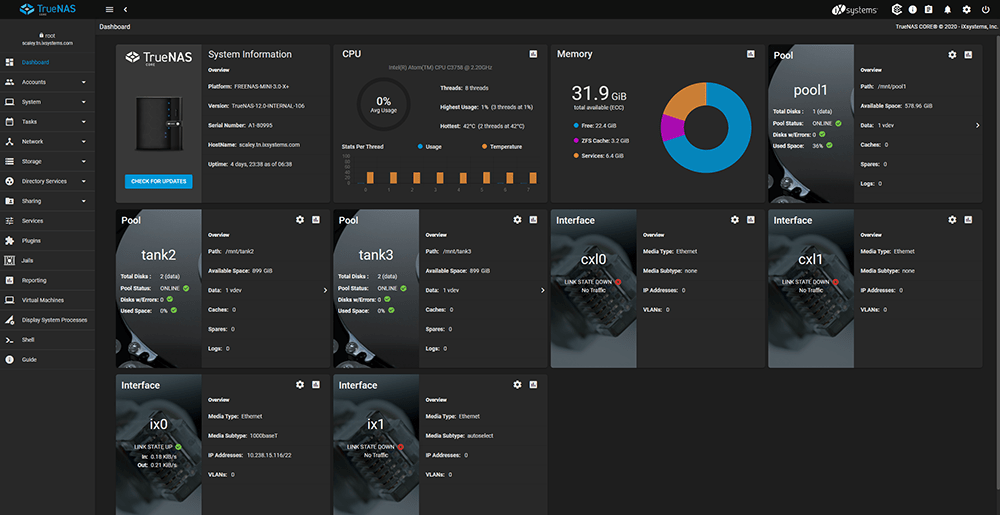
TrueNAS Scale and Core: https://www.truenas.com/
Jellyfin and Plex (Media Servers): https://jellyfin.org/ https://www.plex.tv/
Home Automation
A Home Assistant instance can serve as a practical and versatile tool, offering opportunities for learning, automation, scripting, monitoring, and customization. It allows IT pros to apply and enhance their skills in a home automation context. You can enhance your IoT experience at home/in your lab using Home Assistant: https://www.home-assistant.io/
Monitoring and SIEM
While the scale and complexity may differ from enterprise environments, a home lab with monitoring and SIEM capabilities offers valuable insights and practical experience for individuals interested in enhancing their cybersecurity skills and maintaining a secure and well-monitored home network.
Zabbix: Zabbix is an open-source network monitoring and management solution designed to monitor the performance and availability of servers, networks, applications, and other IT resources. It provides a comprehensive set of features for monitoring and alerting, making it a popular choice for businesses and organizations of various sizes. https://www.zabbix.com/
Wazuh: Wazuh is an open-source security information and event management (SIEM) platform. It is designed to provide security visibility, intrusion detection, vulnerability detection, and response capabilities for organizations. Wazuh is built on top of the ELK (Elasticsearch, Logstash, and Kibana) stack and integrates with other security tools to offer a comprehensive security monitoring solution. https://wazuh.com/

Tenable Nessus: Tenable Nessus is a widely used vulnerability assessment and management solution. It is known for its ability to identify and assess vulnerabilities in systems, applications, and network devices, helping organizations proactively manage and mitigate security risks.

Infrastructure Automation
Automating infrastructure removes mundane repetitive tasks from your workflows. Ansible is an open-source automation tool that is widely used for configuration management, application deployment, task automation, and orchestration. It simplifies complex infrastructure tasks and allows IT teams to automate repetitive and time-consuming processes. Ansible is known for its agentless architecture, simplicity, and scalability.

CCTV
Operating your own CCTV in your home lab can offer the benefits of learning how the cameras, NVRs and protocols work in CCTV. If you are taking on a mid-senior role and above, it’s likely you will have some exposure to these systems and they will likely be a skillset required by your role. At home, I use mostly HikVision equipment which can be found very cheap on eBay. Some NVR software which I have used and recommend can be found below.
AgentDVR – AgentDVR is what I’m currently using. It’s a great all-rounder. Agent DVR is a surveillance software designed for video monitoring and recording. It is commonly used for setting up security cameras and managing video feeds.
MotionEye: MotionEye is an open-source software solution designed for turning single-board computers (SBCs) or network-attached cameras into surveillance systems with motion detection capabilities. It provides a user-friendly interface for managing and configuring cameras, allowing users to set up motion detection, capture images, and record videos. This is a project I have used in the past on a Raspberry Pi 4.

Decentralised Projects
In my lab environment, I contribute to decentralised projects. These can be for the common good or profit. (I’d recommend isolating traffic between your secure and risky subnets if you are going to set this up. Bandwidth controls may also be wise.)
Some examples are shown below:
Folding at home: Contribute your compute power to help fight global health threats like COVID-19, Alzheimer’s Disease, and cancer. The software is completely free, easy to install, and safe to use. https://foldingathome.org/
Evernode: A smart contracts and automation platform allowing you to host a node for profit. https://evernode.org/
Mysterium: A decentralised VPN project allowing you to share bandwidth for profit. https://www.mysteriumvpn.com/

Presearch: A decentralised search engine platform where you can host a relay node to serve users searching using the presearch search engine for profit. https://www.presearch.io/

What does my home lab look like?
In a future post, I will be going through my current home lab setup and its configuration and applications.
What projects am I planning or what am I looking at now?
Oracle 21c – Gerald Venzl announced the general availability of the free version of the Oracle database 21c: the eXpress Edition (or XE) for Linux platforms (direct links are provided inside the original announcement, see at the end of this post).
Gerald also mentioned an important update to Oracle Database 21c XE: it lifts the restriction on the number of pluggable databases! Unlike the previous version of Oracle Database XE, which only allowed up to 3 Pluggable Databases (PDBs), Oracle Database 21c XE now includes all functionality of the Multitenant feature!
This version provides all the features of a true converged database, providing support for Relational, JSON, XML, Graph, Spatial, Blockchain, Object, and Key/Value data for free. Data access can also be REST-enabled, when combined with Oracle REST Data Services, allowing interaction with the data over standard RESTful web services. In addition, Oracle Application Express (APEX), Oracle’s popular low-code app development platform, can be easily deployed on top of Oracle Database 21c XE! I plan on playing with this to see what I can learn!
https://blogs.oracle.com/database/post/oracle-database-21c-xe-generally-available
Homepage – A modern, fully static, fast, secure fully proxied, highly customizable application dashboard with integrations for over 100 services and translations into multiple languages. Easily configured via YAML files or through docker label discovery. With features like quick search, bookmarks, weather support, a wide range of integrations and widgets, an elegant and modern design, and a focus on performance, Homepage is your ideal start to the day and a handy companion throughout it.

https://github.com/gethomepage/homepage
Netboot.xyz – netboot.xyz enables you to boot into many types of operating systems using lightweight tooling to get you up and running as soon as possible. https://netboot.xyz/
Ansible – Ansible is an open-source suite of software tools that allows you to manage infrastructure as code. It includes functionality for software provisioning, configuration management, and application deployment.
Ansible is designed to configure both Unix-like systems and Microsoft Windows. One of its unique features is that it does not require an agent, but instead relies on temporary remote connections via SSH or Windows Remote Management, which allows PowerShell execution. The Ansible control node can run on most Unix-like systems that can run Python, including Windows with Windows Subsystem for Linux installed.
System configuration is defined in part by using Ansible’s own declarative language. With Ansible, you can define your entire infrastructure as code, making it easier to manage and maintain. I plan on using the Ansible for DevOps study guide, which is Jeff Geerling’s book. He is great and can be found here: https://www.ansiblefordevops.com/
If you have made it this far, hopefully this article inspires you to get started with a new homelab or project in an area you haven’t looked at yet.
Cheers 🍻